getting the game set up
1. Download the 3 files (RetroArch, RetroPieBIOS, Penn & Teller's Smoke and Mirrors)
2. Follow the basic downoad/set up instructions for RetroArch
3. Load your core (steps are shown in the first 3 screenshots)
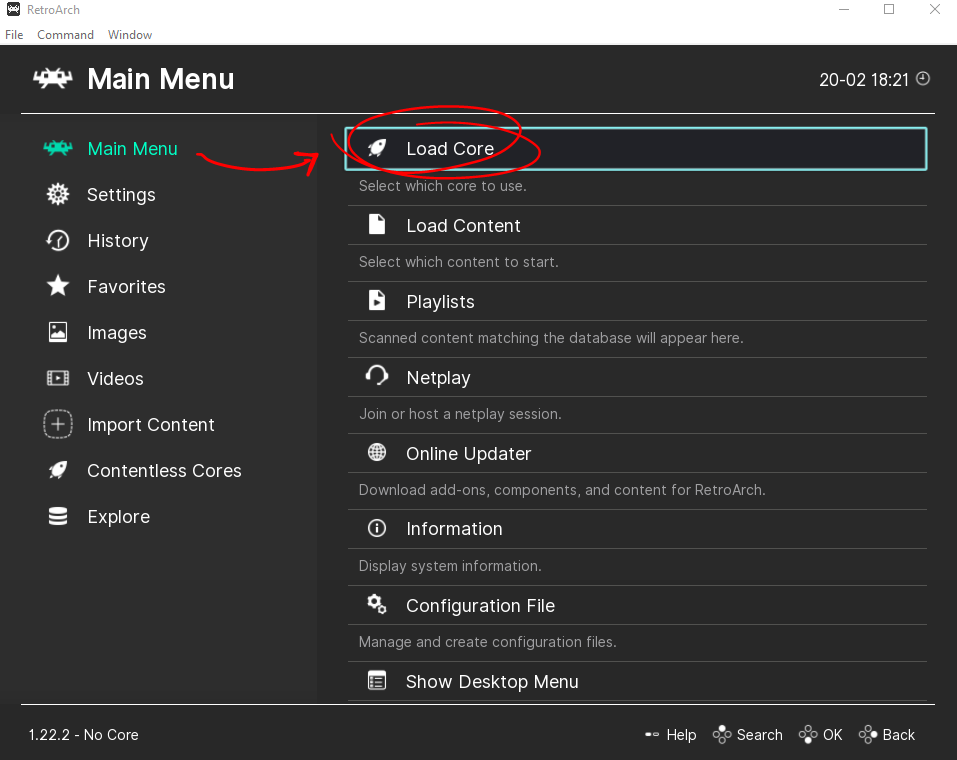
Image 1
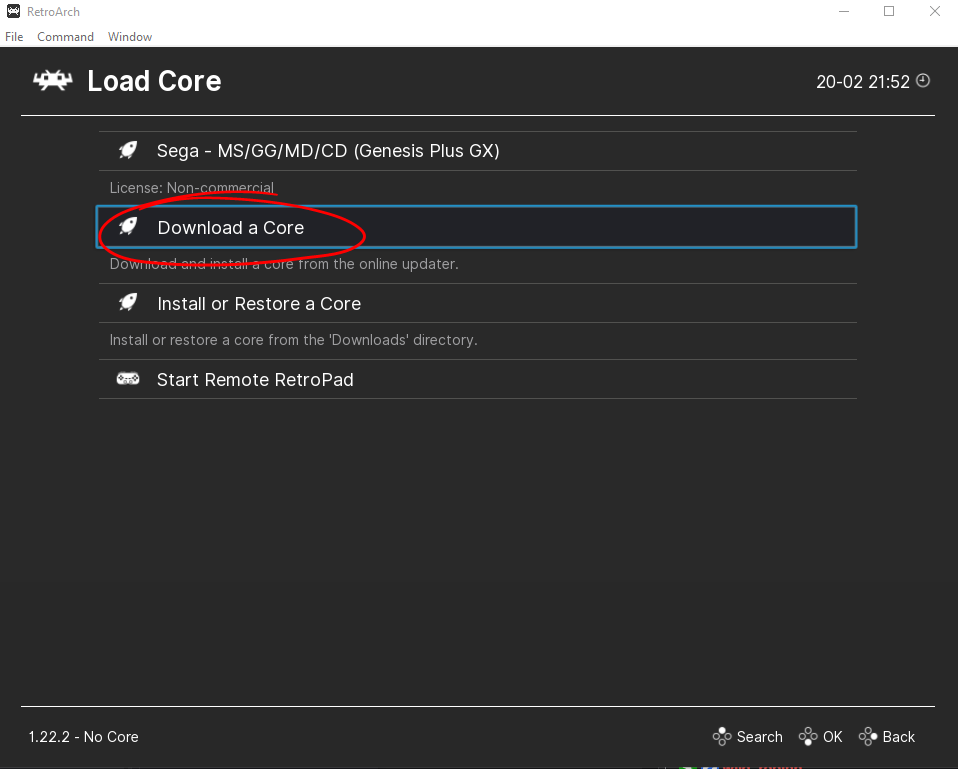
Image 2
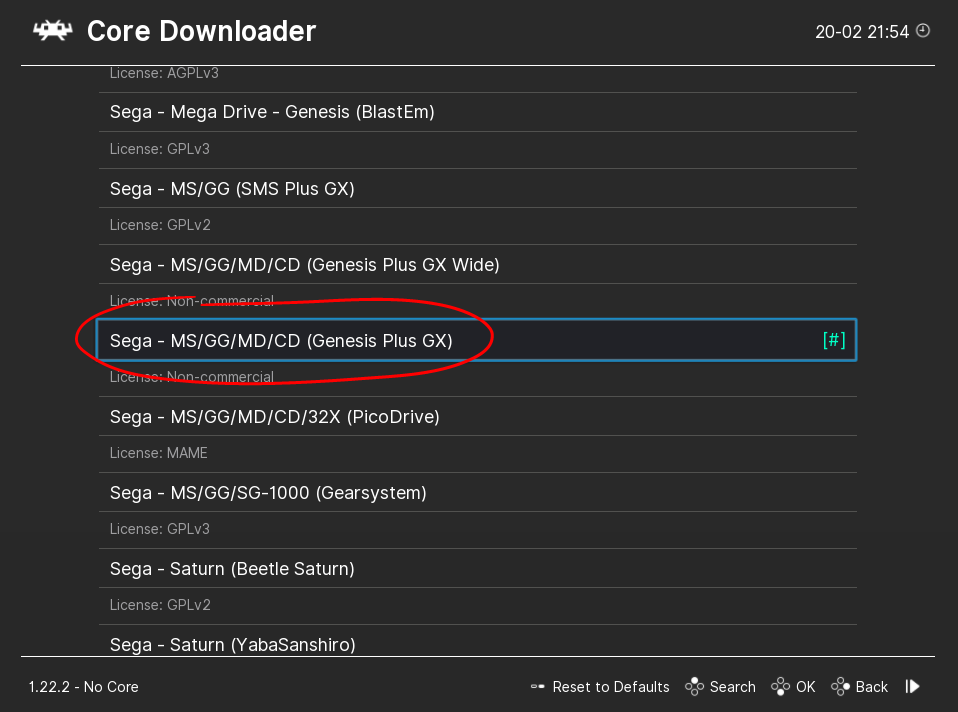
Image 3
4. Get your BIOS set up. To do this, find your RetroArch folder, open the /system folder, plop your BIOS in there. Once you do that, go to Settings -> Directory -> System/BIOS, make sure it has the same pathing as your BIOS files.
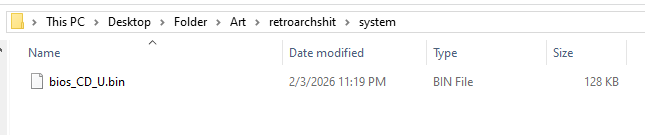
Image 4
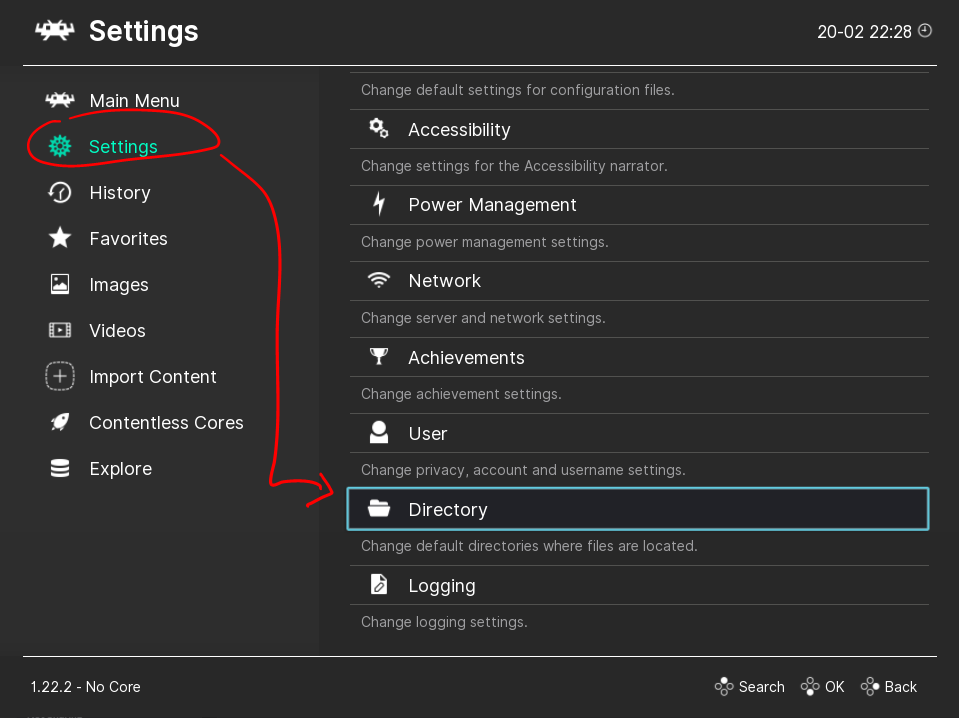
Image 5
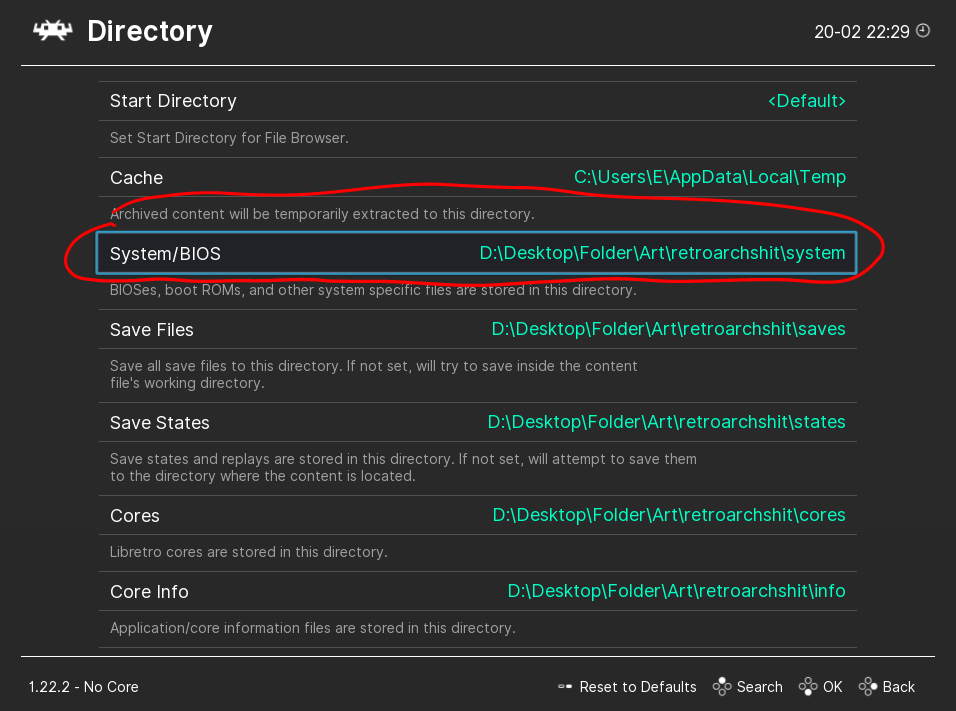
Image 6
5. Get your game loaded! Extract your game, take note of the filepath. If you are in the folder, you can click the button on Image 7 that shows the filepath. Back in RetroArch, you are now going to click Main Menu -> Load Content -> [filepath] -> Penn & Teller's... -> PTSM1.bin
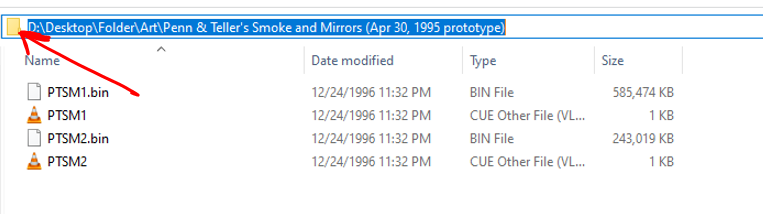
Image 7
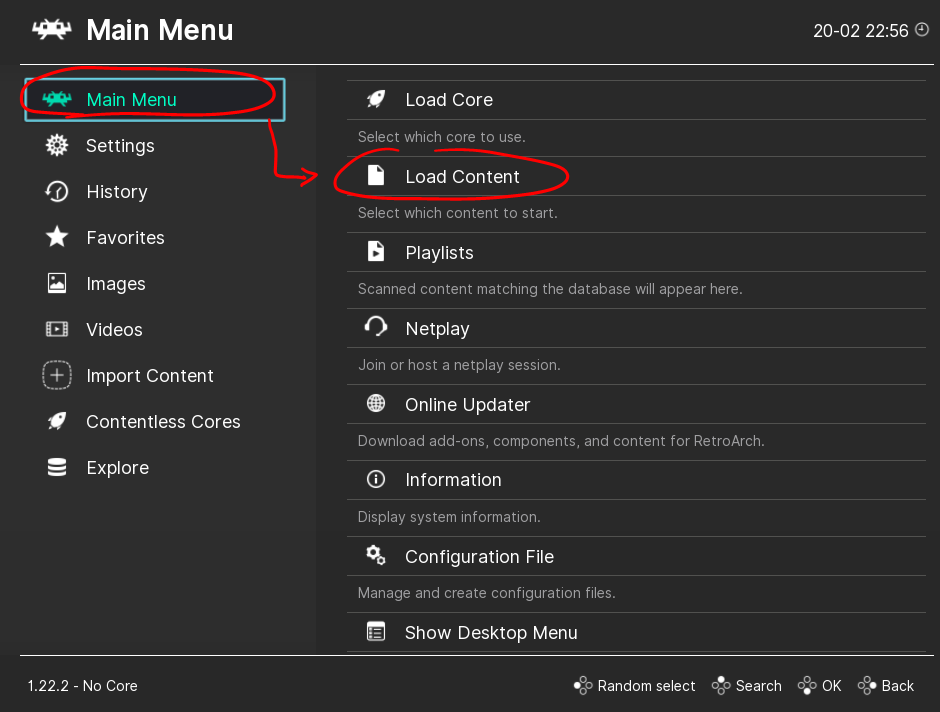
Image 8
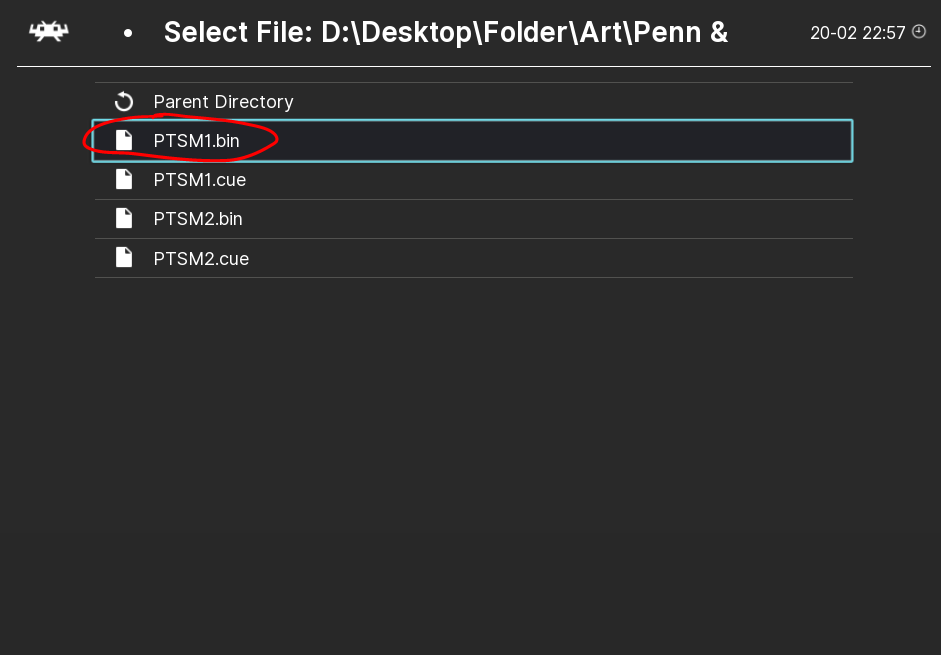
Image 9
BOOM YOU'RE IN
Next time you want to play it, the game will be saved under "history" as PTSM1.
It is also very loud which I suggest changing in Settings -> Audio -> Volume Gain (dB)
Navigation and controls:
For RetroArch itself mouse wheel to scroll, left click to open things, right click to go back
P is Pause
Space bar toggles speed up
L to speed up while held
F to quickly enter/exit full screen
F2 to create save state
F4 to load state
If you want to save something to a different save state slot you can click command (at the top) -> save state option -> click number. From this point you'll be saving and loading onto that one
After getting into the game you can click enter repeatedly to skip past intro videos
In game controls consists of holding A and pressing arrow keys